




If you are researching Flashforge, chances are you want a 3D printer that combines practical features with an approachable printing experience. Whether you are completely new to 3D printing, upgrading an older machine, or looking for a printer for a classroom or creative workspace, choosing the right model matters.
Flashforge has produced a long list of machines over the years, including familiar names such as the Flashforge Adventurer 3, Adventurer 4, Creator Pro, Creator Pro 2, Finder, Dreamer, Creator 3, and Guider series. Today, however, the company’s consumer lineup has moved toward newer machines such as the Adventurer 5M series, AD5X, and Creator 5 series.
This guide explains what Flashforge offers today, how its current printers differ, what happened to many of the older models you may still see in search results, and what to consider before buying.
What Is Flashforge?
Flashforge is a 3D printing brand offering printers, filament, accessories, software, and related printing resources.
Its current consumer FDM range focuses heavily on accessible desktop machines. Flashforge describes its FDM printers as suitable for home users, schools, DIY projects, and small businesses. Current models listed on its US-facing store include the Adventurer 5M, Adventurer 5M Pro, AD5X, Creator 5, and Creator 5 Pro.
The company also provides filament and replacement components, so buyers can find items such as build plates, nozzles, extruder assemblies, and compatible printing materials within the same ecosystem.
If you want to see the latest lineup rather than rely on older product listings, visit the official Flashforge website before making a purchase.
Flashforge 3D Printer Lineup: Which Model Should You Consider?
The best Flashforge 3D printer depends less on having the longest specification sheet and more on what you actually intend to print.
Here is a simple overview of several current options.
| Flashforge Printer | Best Suited For | Key Difference |
|---|---|---|
| Adventurer 5M | Beginners and general home printing | Accessible, high-speed entry point |
| Adventurer 5M Pro | Home, classroom and enclosed printing | Enclosed design with additional monitoring/features |
| AD5X | Users interested in multicolor printing | Entry-level multicolor option |
| Creator 5 | Creators and small studios | Four independent toolheads |
| Creator 5 Pro | Professional and engineering-focused users | Enclosed four-toolhead system |
Flashforge’s current comparison page positions the Creator 5 as a flagship multicolor printer for professional creators and small studios, while the Creator 5 Pro adds an enclosed design aimed at professional studios and users working with engineering materials.
Flashforge Adventurer 5M
For someone entering the Flashforge ecosystem today, the Adventurer 5M is one of the most straightforward places to start.
It has a 220 × 220 × 220 mm build volume and a stated maximum print speed of 600 mm/s. Flashforge also equips it with an all-metal CoreXY structure and quick-detach nozzles designed to simplify maintenance.
That combination makes the Adventurer 5M worth considering for:
- First-time 3D printer owners
- Hobbyists
- Makers creating prototypes and household projects
- Users who value relatively simple setup
- Buyers who do not necessarily need a fully enclosed printer
Remember that maximum advertised speed does not mean every model or material should always be printed at that speed. Print geometry, filament, layer settings, desired surface quality, and other variables can affect the settings you ultimately use.
Flashforge Adventurer 5M Pro
The Flashforge Adventurer 5M Pro builds on the basic Adventurer concept with an enclosed machine.
Like the Adventurer 5M, the Pro has a 220 × 220 × 220 mm build volume and an advertised maximum printing speed of 600 mm/s. It also includes remote print observation functionality.
An enclosed printer can be particularly attractive when the machine will live in a home, office, studio, or classroom. Material compatibility and ventilation requirements should still be checked for the specific filament you intend to use.
For buyers searching for the best Flashforge 3D printer for beginners but wanting an enclosure from the beginning, the 5M Pro deserves consideration.
Flashforge AD5X
If multicolor printing is higher on your priority list, look at the AD5X.
Flashforge currently positions the AD5X as its entry-level multicolor 3D printer. This gives it a different purpose from the Adventurer 5M: rather than simply choosing based on price or speed, consider whether multicolor printing is important enough to shape your workflow.
For decorative models, colorful designs, personalized items, and creative projects, that capability may make the AD5X more attractive.
Flashforge Creator 5 and Creator 5 Pro
The Creator name has been part of Flashforge for years. Searchers may still encounter the Flashforge Creator Pro, Creator Pro 2, Creator 3, Creator 3 Pro, and other older Creator machines.
The current generation is different.
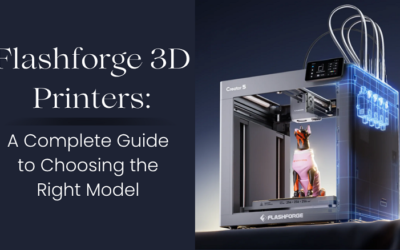
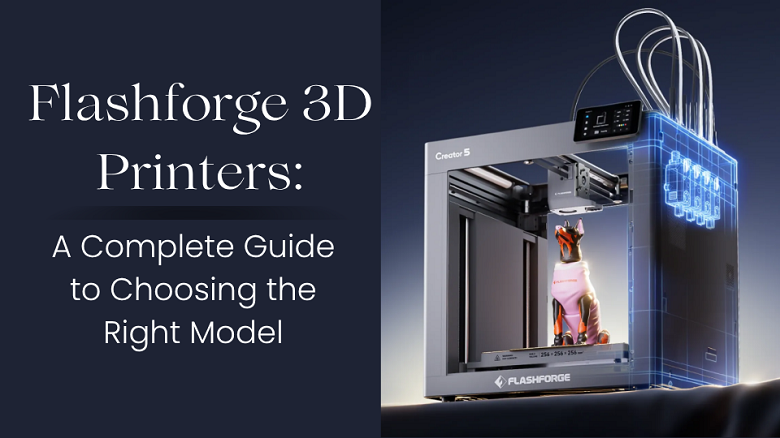
The Creator 5 uses four independent toolheads and is positioned toward professional creators and small studios. The Creator 5 Pro adds a fully enclosed design and is positioned toward professional studios and engineering-material users.
These models make more sense for buyers whose requirements go beyond straightforward single-material hobby printing.
What About the Flashforge Adventurer 3 and Adventurer 4?
A large amount of Flashforge search traffic still revolves around the Flashforge Adventurer 3 3D printer and Flashforge Adventurer 4 3D printer.
You may encounter variations including:
- Flashforge Adventurer 3 Pro
- Adventurer 3 Lite
- Flashforge Adventurer 3 V2
- Adventurer 3C
- Flashforge Adventurer 4 Lite
- Flashforge Adventurer 4 Pro
These machines belong to earlier generations of the Adventurer family.
Similarly, searches for the Flashforge Finder 3D printer, Flashforge Creator Pro 2, Dreamer NX, Guider 2S, Creator 3 Pro, and Foto resin printers often relate to previous-generation hardware.
That does not automatically make an older Flashforge printer unusable. However, buying older hardware requires extra homework.
Before purchasing one—especially used—check:
- Whether replacement nozzles, build plates, hotends, and other parts remain readily available.
- Whether current Flashforge software supports your exact model.
- Which filament types the printer officially supports.
- The condition of the bed, extruder, motion system, and electronics.
- Whether a newer machine provides better value once repair or upgrade costs are considered.
This is especially important when comparing a discounted older Adventurer 4 or Creator Pro with a current-generation Flashforge printer.
Flashforge Software: What Slicer Should You Use?
A slicer converts a 3D model into the machine instructions a 3D printer needs.
Flashforge has historically supported FlashPrint, which remains documented in its software resources. However, the current ecosystem also includes Flash Studio Desktop, the updated name for Orca-Flashforge.
Flash Studio Desktop is based on the Orca Slicer foundation and includes Flashforge-specific profiles and connectivity for supported machines such as the Adventurer 5M series and AD5X.
That means searches for terms such as Flashforge slicer, FlashPrint 5, Orca-Flashforge, or even Cura Flashforge should not automatically lead you to install whichever slicer appears first.
Instead, identify your exact printer and check Flashforge’s current software documentation for compatibility.
Flashforge PLA, PETG and Other Filaments
The printer itself is only half of your setup. Filament selection can dramatically affect how a project prints.
Flashforge sells both easier-to-print and engineering-oriented materials. Its current store categories include options such as PLA, high-speed PLA, PETG-based materials, and fiber-reinforced filaments.
For a beginner, PLA is generally a practical starting point because it is commonly used for prototypes, decorative objects, organizers, models, and everyday prints.
As you gain experience, you may consider PETG or other materials depending on your project’s mechanical and environmental requirements.
Do not assume that every Flashforge printer supports every filament. Nozzle requirements, enclosure needs, temperature limits, build surfaces, and manufacturer recommendations vary by machine and material.
How to Choose the Best Flashforge Printer
Instead of asking which model is universally “best,” narrow your decision using five questions.
1. Are You a Beginner?
Prioritize easy setup, straightforward maintenance, automatic calibration features, available profiles, and strong documentation. The Adventurer range is the logical starting point in the current lineup.
2. Do You Need an Enclosure?
An enclosed machine may be preferable for certain environments and materials. If that matters, compare an enclosed option such as the Adventurer 5M Pro rather than selecting purely by price.
3. Do You Want Multicolor Printing?
If color is central to your projects, look beyond standard single-color machines. The AD5X and Creator 5 family address multicolor printing at different levels of the market.
4. What Size Objects Will You Print?
Always check build volume before ordering. Splitting a large model into several pieces is possible, but a printer that naturally accommodates your common projects can simplify your workflow.
5. What Is the Total Cost?
The Flashforge 3D printer price is only the starting point.
Consider the ongoing cost of:
- Filament
- Replacement nozzles
- Build plates
- Maintenance parts
- Multicolor consumables where applicable
- Shipping and taxes
- Optional accessories
A cheaper printer is not necessarily cheaper over its entire useful life.
Is Flashforge a Good Choice for Beginners?
Flashforge can make sense for beginners who value a relatively integrated ecosystem of printers, slicing software, filament, accessories, documentation, and replacement parts.
Current models such as the Adventurer 5M are specifically marketed toward beginners, while the wider lineup leaves room to move toward enclosed, multicolor, or more professionally oriented equipment later.
The important thing is to buy based on your use case rather than brand name alone.
Compare build volume, enclosure, material compatibility, software, replacement-part availability, and total cost before making the final decision.
Frequently Asked Questions About Flashforge
What is the best Flashforge 3D printer for beginners?
The Adventurer 5M is a logical current starting point because Flashforge positions it as a beginner-friendly machine. Buyers wanting an enclosed design can also compare the Adventurer 5M Pro.
Is the Flashforge Adventurer 3 still worth buying?
It depends on price, condition, parts availability, and your requirements. Because the Adventurer 3 belongs to an older generation, compare its total cost with a current model before buying.
What replaced the Flashforge Adventurer 4?
Flashforge’s current consumer range has moved to newer Adventurer-series machines such as the Adventurer 5M and Adventurer 5M Pro. Do not assume feature-for-feature equivalence; compare specifications based on your needs.
What slicer does Flashforge use?
Flashforge provides software resources for FlashPrint and newer Flash Studio Desktop. Flash Studio Desktop is the updated version of Orca-Flashforge for supported current printers.
Can Flashforge printers use PLA and PETG?
Many Flashforge printers support common FDM materials, but compatibility varies by model. Check the official material specifications for your exact printer before purchasing filament.
Final Thoughts: Is Flashforge Right for You?
Flashforge offers options for several levels of 3D printing, from accessible desktop machines to multicolor and more professionally focused systems.
For newcomers, the Adventurer 5M family is a sensible place to begin comparing. Users interested in multicolor printing can investigate the AD5X, while creators with more advanced workflows can compare the Creator 5 series.
If you found this guide while researching an older Flashforge Adventurer 3, Adventurer 4, Finder, Creator Pro 2, Creator 3 Pro, Dreamer, or Guider model, compare it carefully with the current generation before spending money.
Ready to compare the latest models? Visit the official Flashforge store to check current printers, specifications, accessories, filament, pricing, and available offers before choosing your setup.